
Pro settings, handled for you
Flowshot sets your iPhone's cameras shot by shot, for sharp photos and steady video of fast action.
 Flowshot
Flowshot is set up like a pro's camera, so you can just shoot. Sharp photos and steady video of fast action, with one thumb.
 Free to use, with a watermark.

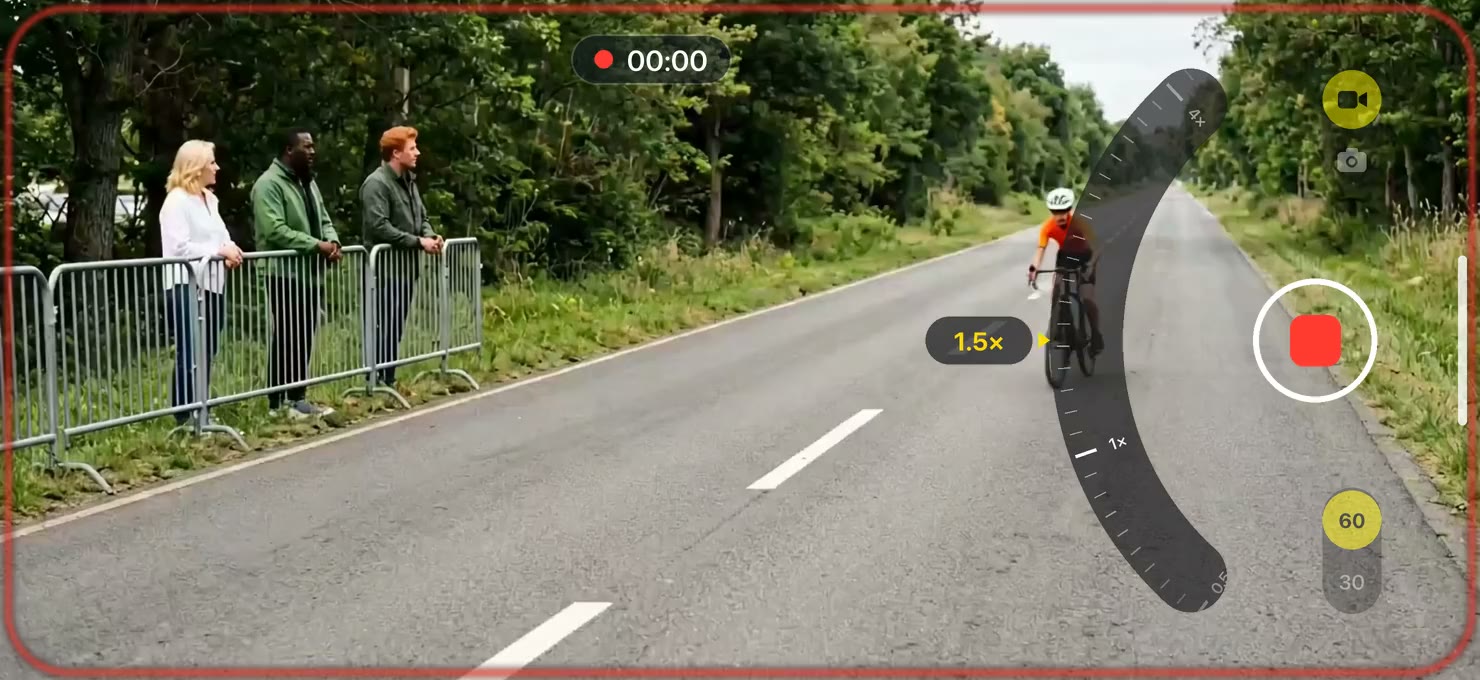
That photo was taken with Flowshot, a camera app for iPhone and iPad. It's set up like a pro's camera, so anyone can take sharp photos and steady video of fast action.
From the stands, the pool deck or the bottom of the slope, the action is far away and over in seconds. That's the worst time to pinch to zoom, hunt for hidden controls, or have a stray tap throw off your shot.
Flowshot is already set up for fast action, and only the controls you need are on screen. With nothing to adjust, your attention stays on getting the shot.
Frame up the perfect photo with one smooth swipe of your thumb. Switch to burst mode for ten sharp frames a second, and the moment you wanted is in there. Or go to video and keep zooming while you record, steady all the way in.
One smooth thumb swipe covers your iPhone's whole zoom range, from widest to closest: up to 40× on iPhone 17 Pro.



One smooth thumb swipe covers your iPhone's whole zoom range, from widest to closest: up to 40× on iPhone 17 Pro.
| Device | Photo | Video and Burst |
|---|---|---|
| iPhone 18 Pro, 18 Pro Max | 40× | 24× |
| iPhone 17 Pro, 17 Pro Max | 40× | 15× |
| iPhone 16 Pro, 16 Pro Max | 25× | 15× |
| iPhone 15 Pro Max | 25× | 9× |
| iPhone 13 Pro, 13 Pro Max, 14 Pro, 14 Pro Max, 15 Pro | 15× | 9× |
| iPhone 12 Pro Max | 12× | 7× |
| iPhone 11 Pro, 11 Pro Max, 12 Pro, 15, 16, 17, Air, and their Plus and e models | 10× | 6× |
| Other iPhones, and iPad | 5× | 3× |
These are the digital zoom figures Apple publishes for each model's photos and video; see Apple's iPhone technical specifications for yours. Bursts zoom as far as video. What you get can vary with your model and iOS version.
Flowshot sets your iPhone's cameras shot by shot, for sharp photos and steady video of fast action.
Zoom from widest to closest in one smooth thumb swipe, even while recording, so you can compose the best possible shot.




Hold for a burst of ten sharp frames a second, and pick the best one later.






Full quality, straight into your photo library, with nothing to sort or move between apps.
Switch to video and zoom the same way, in one smooth thumb swipe, while you record. Up to 4K at 60 fps on supported devices.
Every photo, every frame of a burst and every video lands in your photo library the moment you take it, with nothing to sort or export. Flowshot keeps no copy, and nothing leaves your iPhone.
Flowshot is free to use, with every feature included and a watermark on what you shoot. One purchase turns the watermark off, so everything you shoot from then on is saved without it. Anything you shot before the purchase still has the watermark.
In Flowshot, tap the gear, then Remove the watermark. It's one purchase, with no subscription. More about removing the watermark.
No. The purchase turns the watermark off for everything you shoot afterwards. Anything you shot before it still has the watermark.
Burst is its own mode, next to single photos. Switch to it, then hold the shutter and Flowshot takes ten sharp frames a second for as long as you hold, or double-tap for a full set. You can keep zooming the whole time. Each frame is saved as its own full photo, so you can pick the best one later in the Photos app.
Straight into your photo library, at full quality. Flowshot has no gallery of its own, so there's nothing to sort or export. Crop, edit and share from the Photos app as you always do.
No. Flowshot is already set up for fast action, so there's nothing to adjust. You zoom, and you shoot.
No. They'd be more controls to get in the way while things are happening fast, so Flowshot leaves them out. For selfies and flash photos, use the Camera app.
Yes. Hold your iPhone with the volume buttons up and the controls flip to suit your left hand. There's nothing to set up.
iPhone 11 or later, iPhone SE (2nd generation) or later, and any iPad that runs iPadOS 26.
Free download for iPhone and iPad
Get Flowshot
Free